24-Hour Trading
With the availability of 24-hour trading, investors can now trade selected securities at any time of day.
Which securities are available for 24-hour trading?
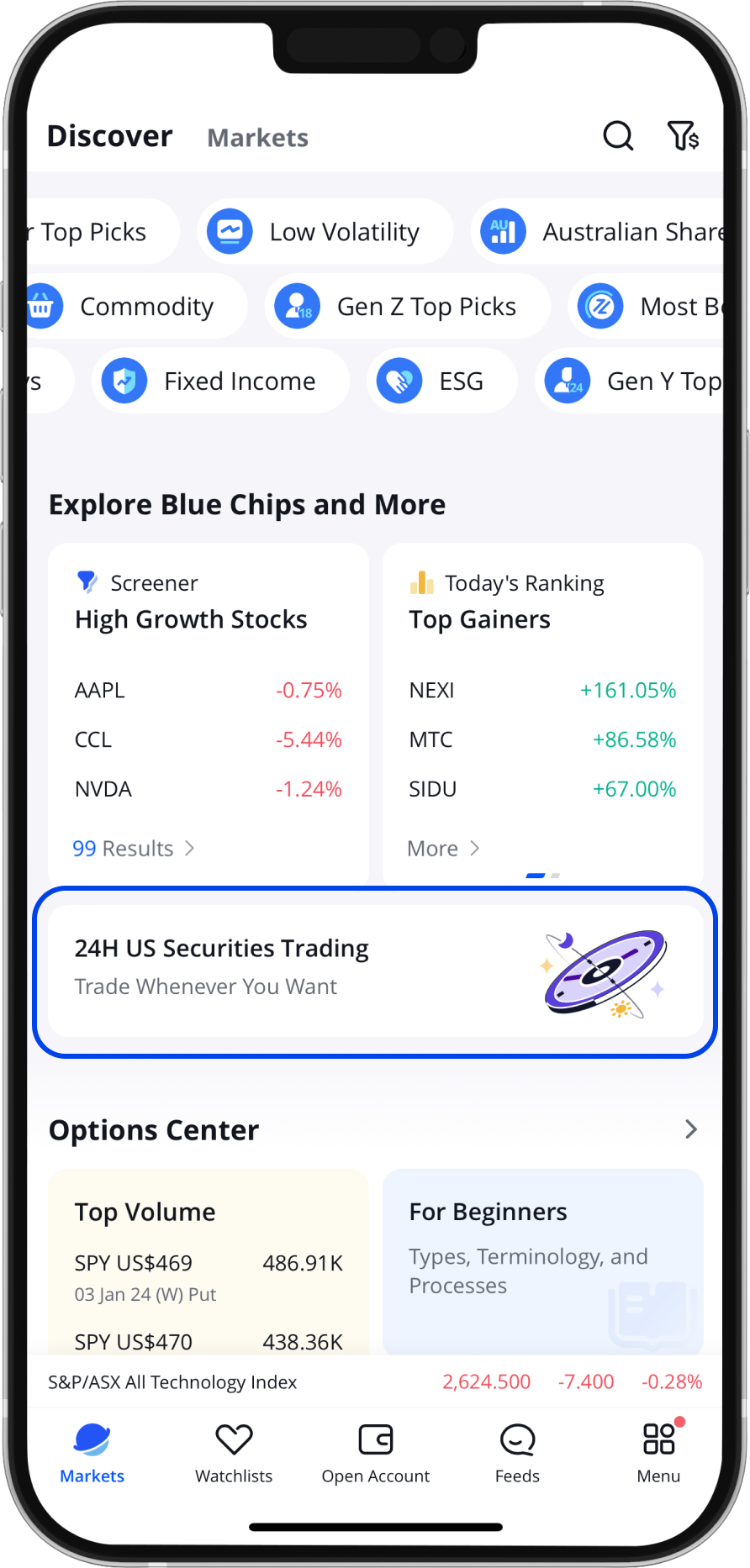
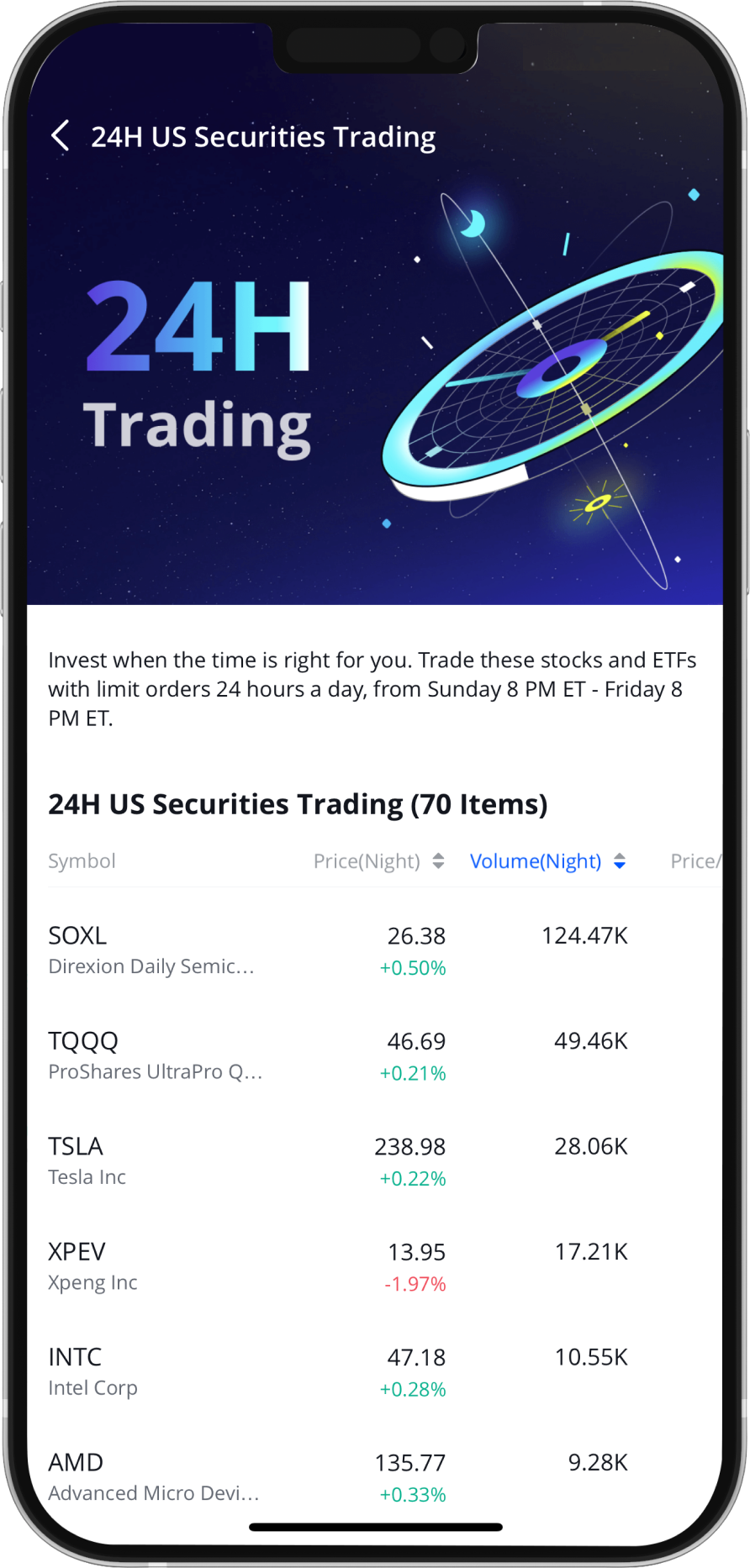
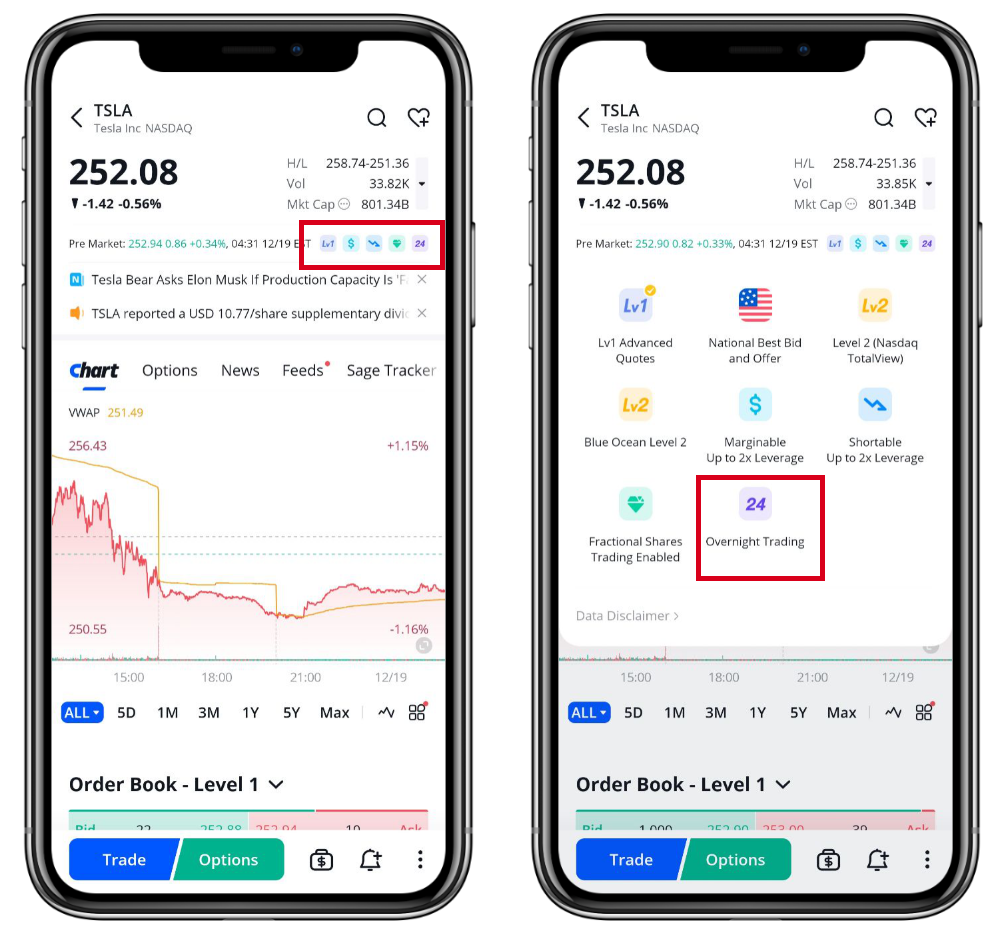
Upgrade your Webull app to the latest version. Go to the Discover page and scroll down to find the 24 hour US Securities Trading List. Or, choose a security you want to trade, go to its details page, and check if a "24" icon is displayed.
How to place an order in the 24-hour market?
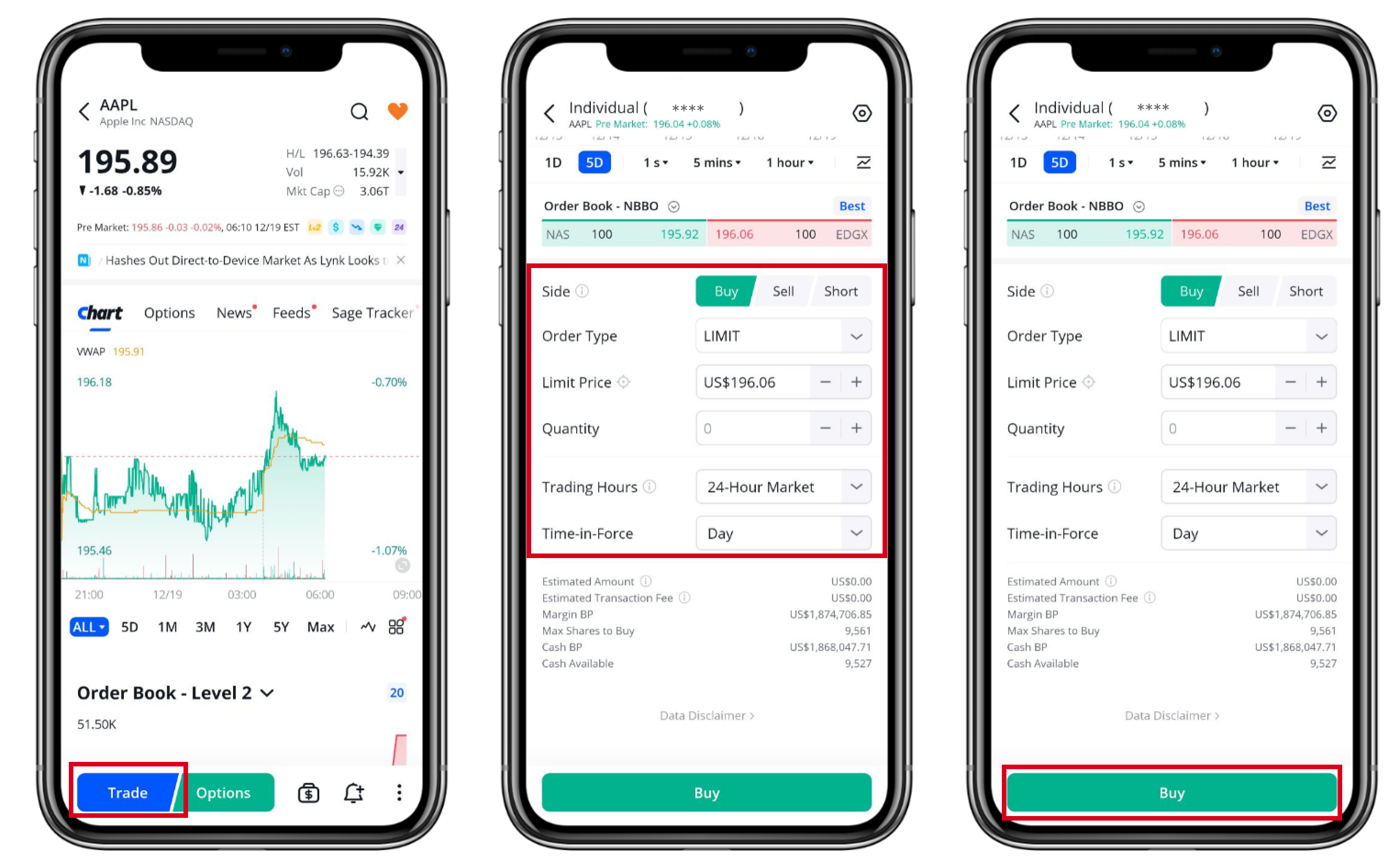
Step1: Select a security that supports 24-hour trading.
Step2: Click ‘Trade’, and then select Buy or Sell.
Step 3: Select the order type as ‘Limit’ and input the limit price and quantity.
Note: If the period selected includes overnight trading, only limit orders will be supported.
Step 4: Set the trading hours, select when you want the order to execute:
- Only Regular Hours: 9:30 AM ET-4:00 PM ET
- Include Extended Hours: 4:00 AM ET (Pre-market)-8:00 PM ET (After-hours)
- Overnight Hours: 8:00 PM ET-4:00 AM ET
- 24 Hour Market: 8:00 PM ET-8:00 PM ET
Step 5: Set the Time-in-Force and select when the order should expire.
Step 6: Review order information and place it.